A sale in a couple of taps
By products or just the amount. Cash, card or on credit.
For market and shop sellers
Sales, stock, customer credit and daily profit — on your phone. Works offline.
Core bookkeeping is free forever
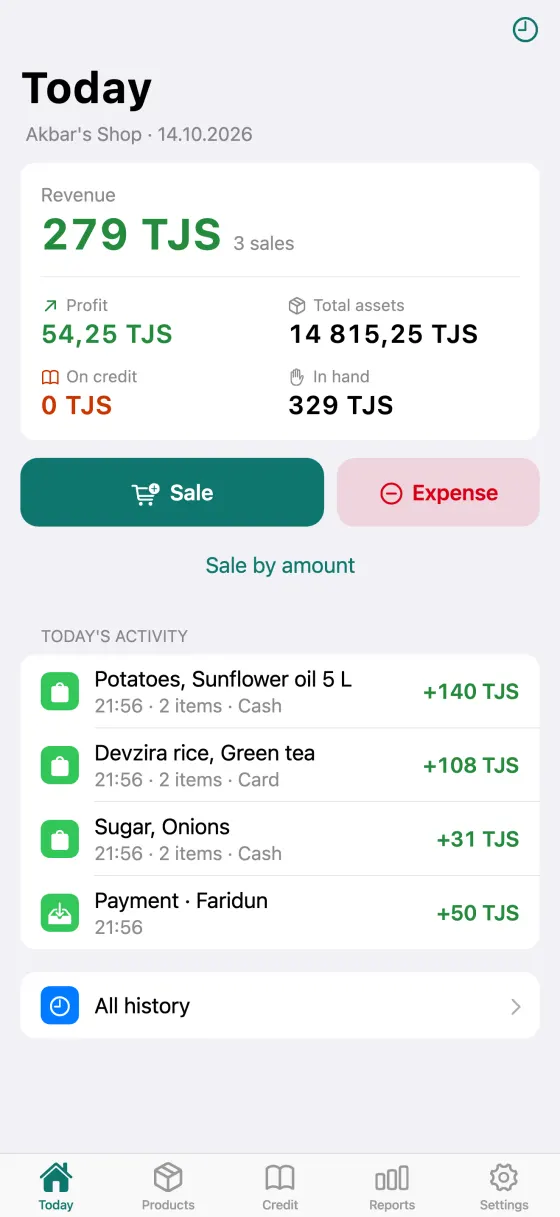
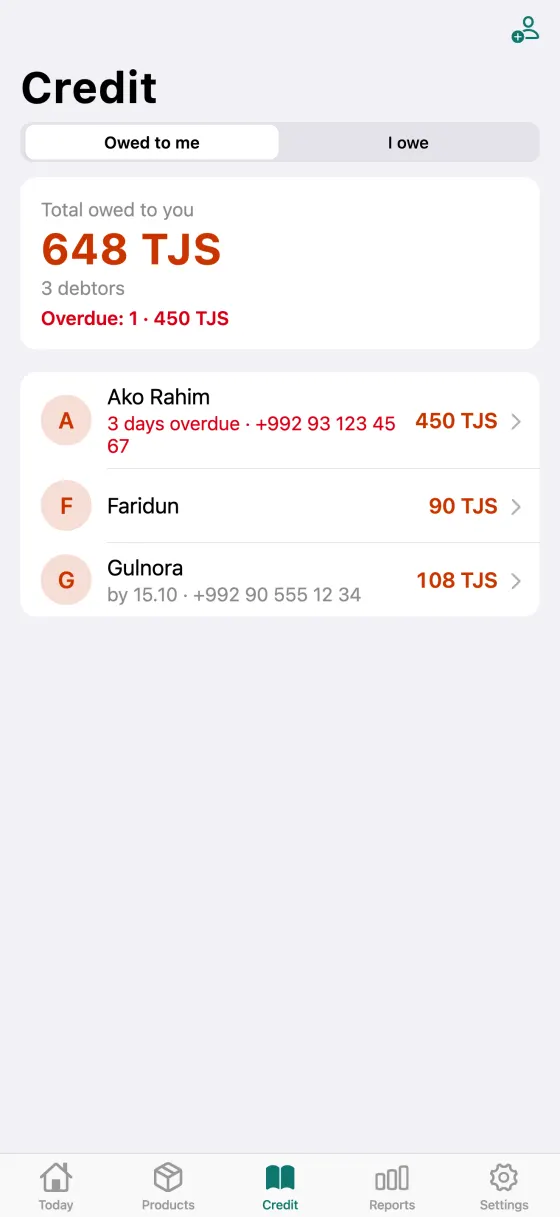
From the first sale in the morning to the profit in the evening — in one app.
By products or just the amount. Cash, card or on credit.
Revenue, cost of goods and expenses at a glance, no calculator.
Purchases, opening and closing stock, a warning when something runs low.
Due dates, overdue customers first, a WhatsApp reminder with a statement.
An item came back or was swapped — stock, revenue and debt update themselves.
Day, week, month: best day, average receipt, where the money went.
Everyone records sales on their own phone, you see them all. Sync is encrypted.
A backup on Google Drive and one export file for your accountant.
Sees revenue, profit and debts of every outlet. Manages products and prices.
A simple sales screen on their own phone. The owner's profit stays hidden.
Gets a debt reminder with a statement — no arguing over how much and for what.
From the App Store or Google Play — free.
With email, Google or Apple.
Add products or just enter an amount — you're keeping books.
Core bookkeeping is free forever. Pro is for when you have staff, several outlets or need your full history.
0 TJS · forever
Free for now
All features are free for now. Pro will become paid later, and early users will get a bonus.
Download freeYour records are always yours: without Pro every entry stays and opens.
Not for sales and bookkeeping: everything is stored on the phone. You need the internet to sign in, sync with staff and back up to Google Drive.
On your phone. Our server only keeps your account and subscription, and sync with staff is encrypted. More in the privacy policy.
Yes. Each employee records sales on their own phone, and the owner sees every outlet. This is part of Pro.
You don't need to yet: during early access Pro is free for everyone. Once Pro becomes paid, you'll be able to pay right here, in the Pricing section.
Settings → "Backup" → "Save a backup" and send the file to yourself. On the new phone sign in to the same account and restore it. With Pro the backup is saved to Google Drive automatically.
In the app: Settings → your email → "Delete account". Without the app — follow these steps.
Download Tijorat — your first sale takes a minute.