How to export your data to Excel
You get one Excel file with sales, expenses, products and debts — for yourself, an accountant or an inspection.
ProThis is a Pro feature.
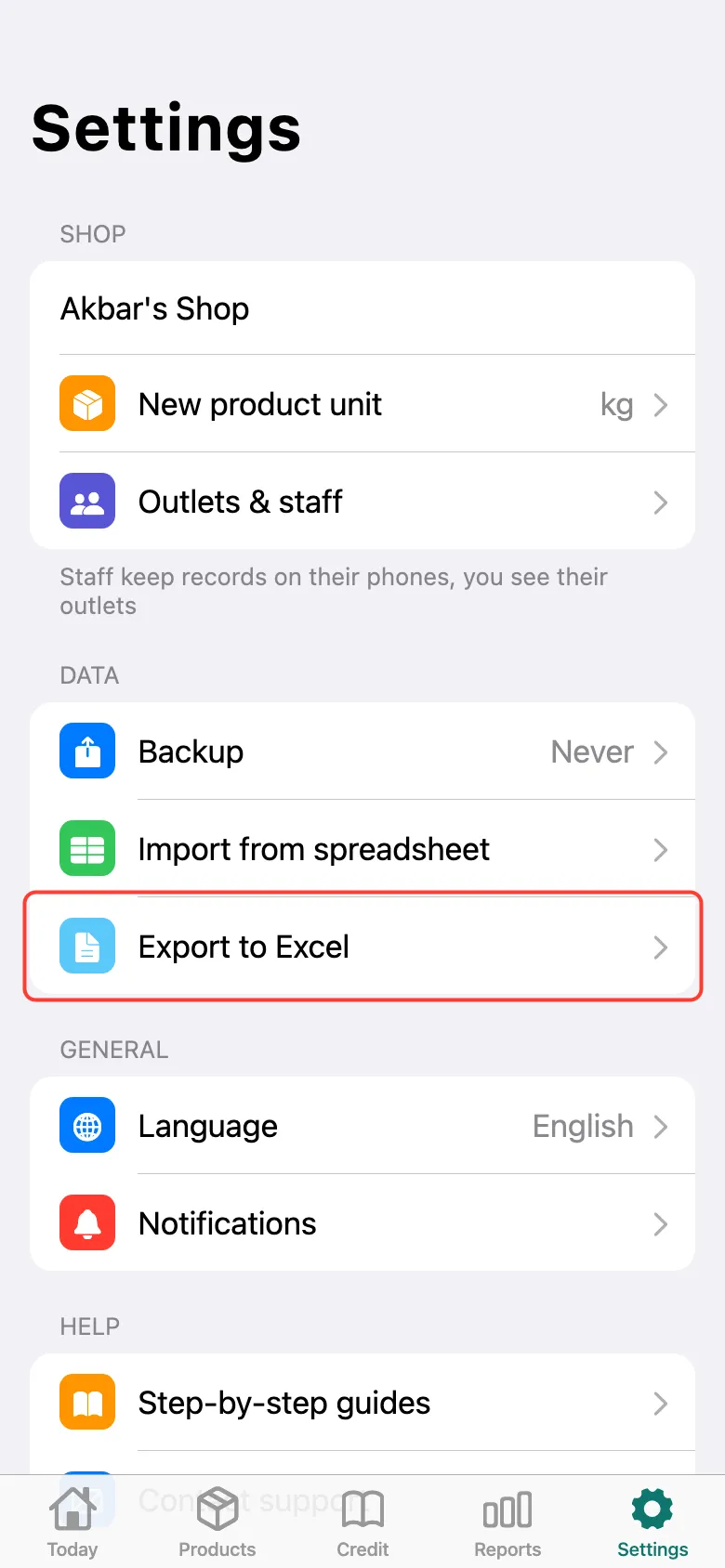
Open Settings and tap Export to Excel.
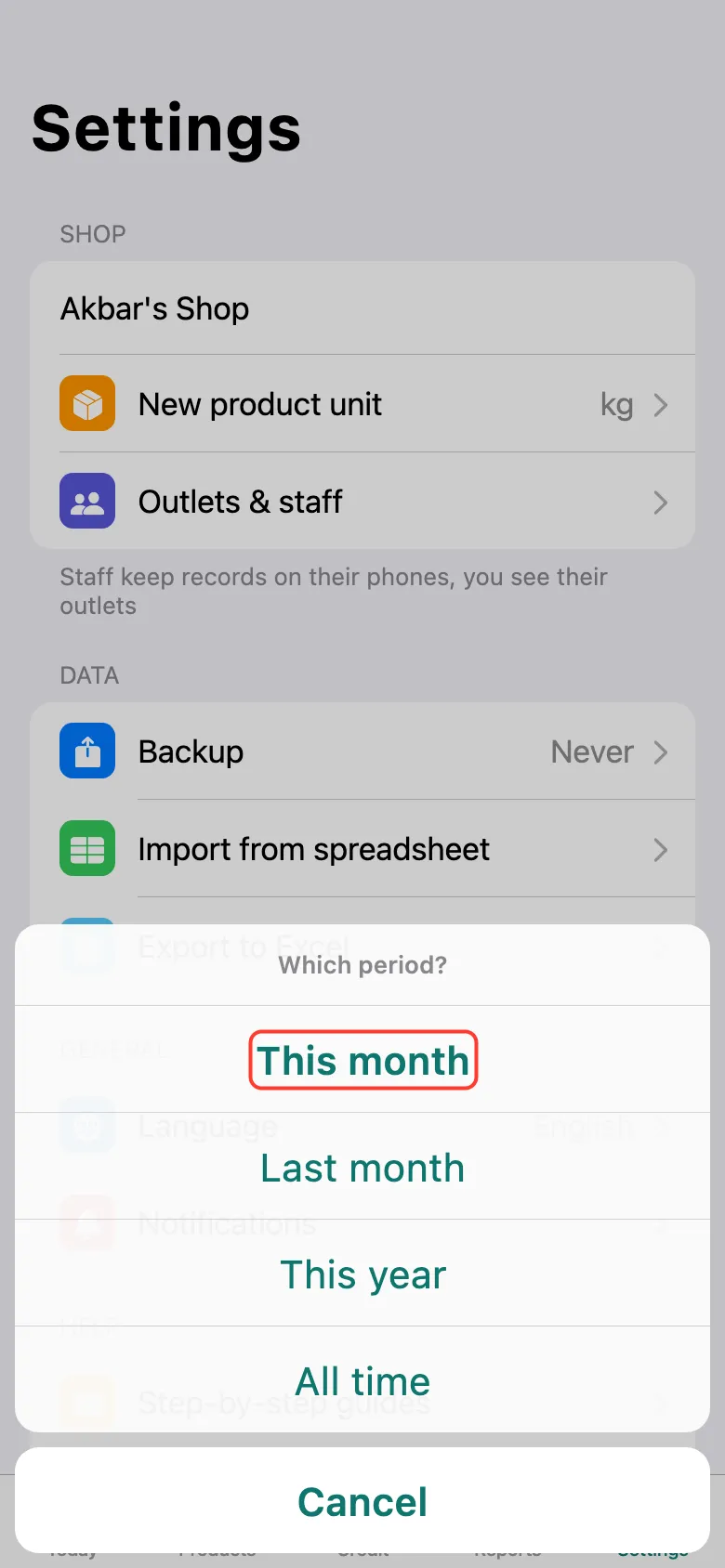
Choose the period: This month, Last month, This year or All time. When the file is ready, the Share window opens: save the file or send it to Telegram, WhatsApp or email.
What next
Didn’t work? Message us on Telegram