How to turn on Google Drive backup
A backup of your records is saved to your Google Drive every hour by itself — no buttons, no reminders.
ProThis is a Pro feature.
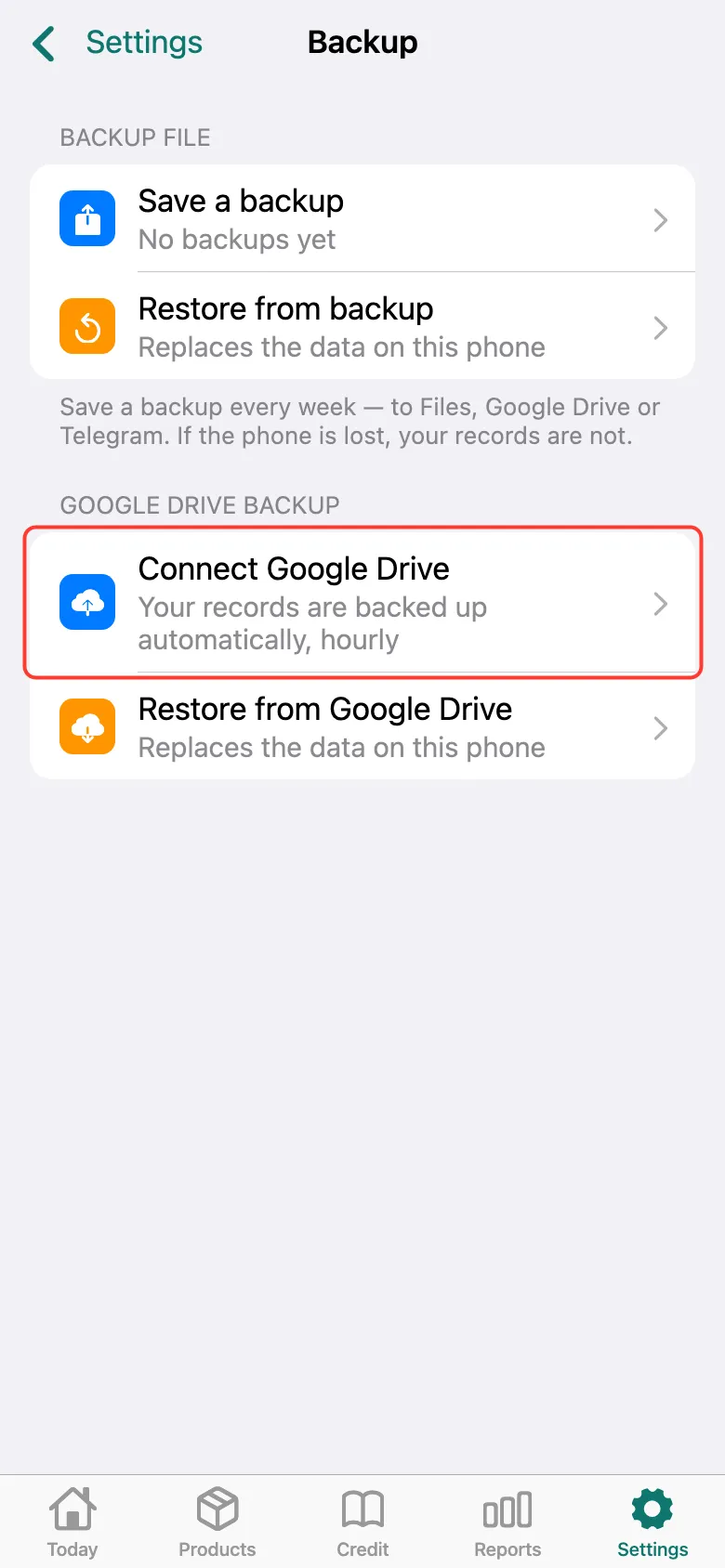
Open Settings → Backup and tap Connect Google Drive. Sign in to your Google account and allow access — Tijorat only sees its own backups on Drive.
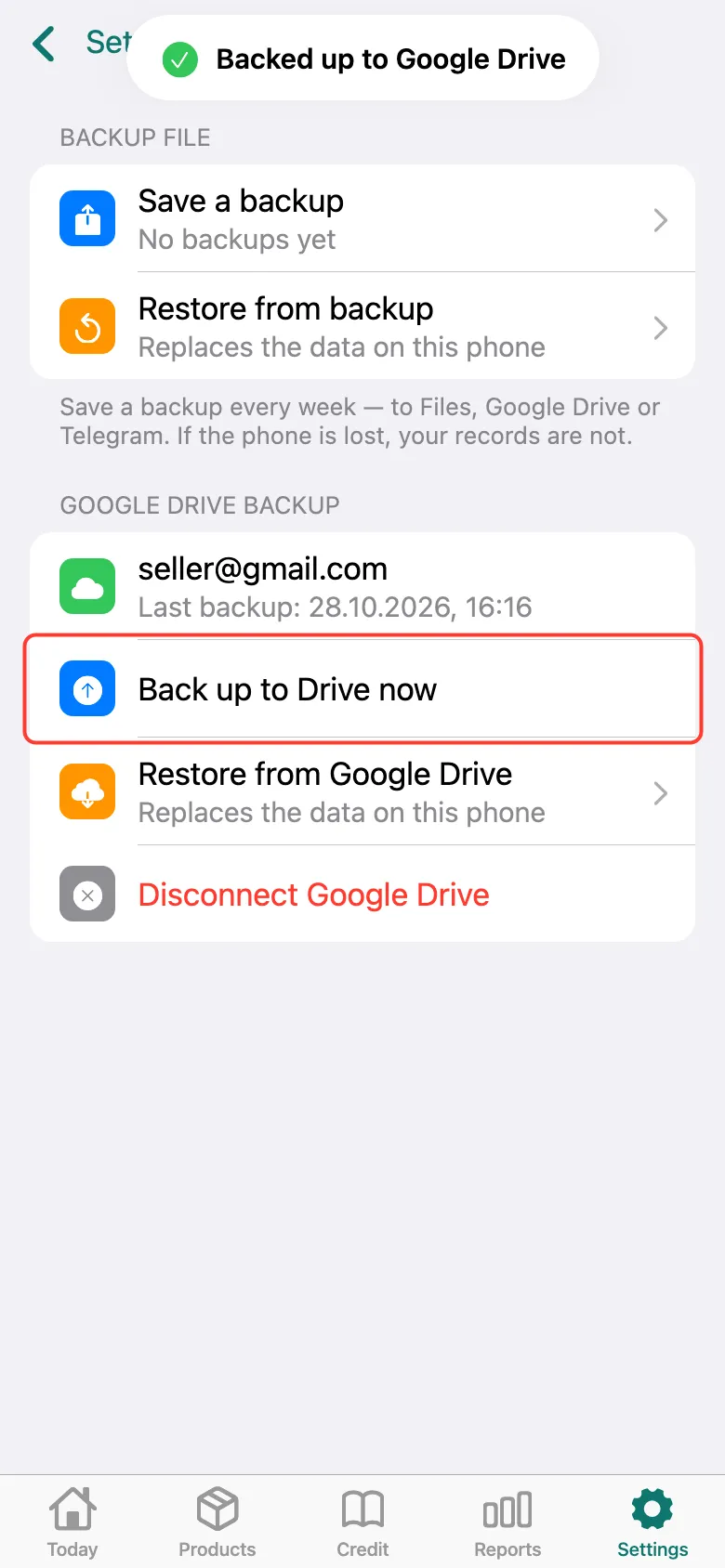
Done: your Google account and the time of the last backup are shown. Backups now happen by themselves; to save right now, tap Back up to Drive now.
What next
Didn’t work? Message us on Telegram