How to record an expense
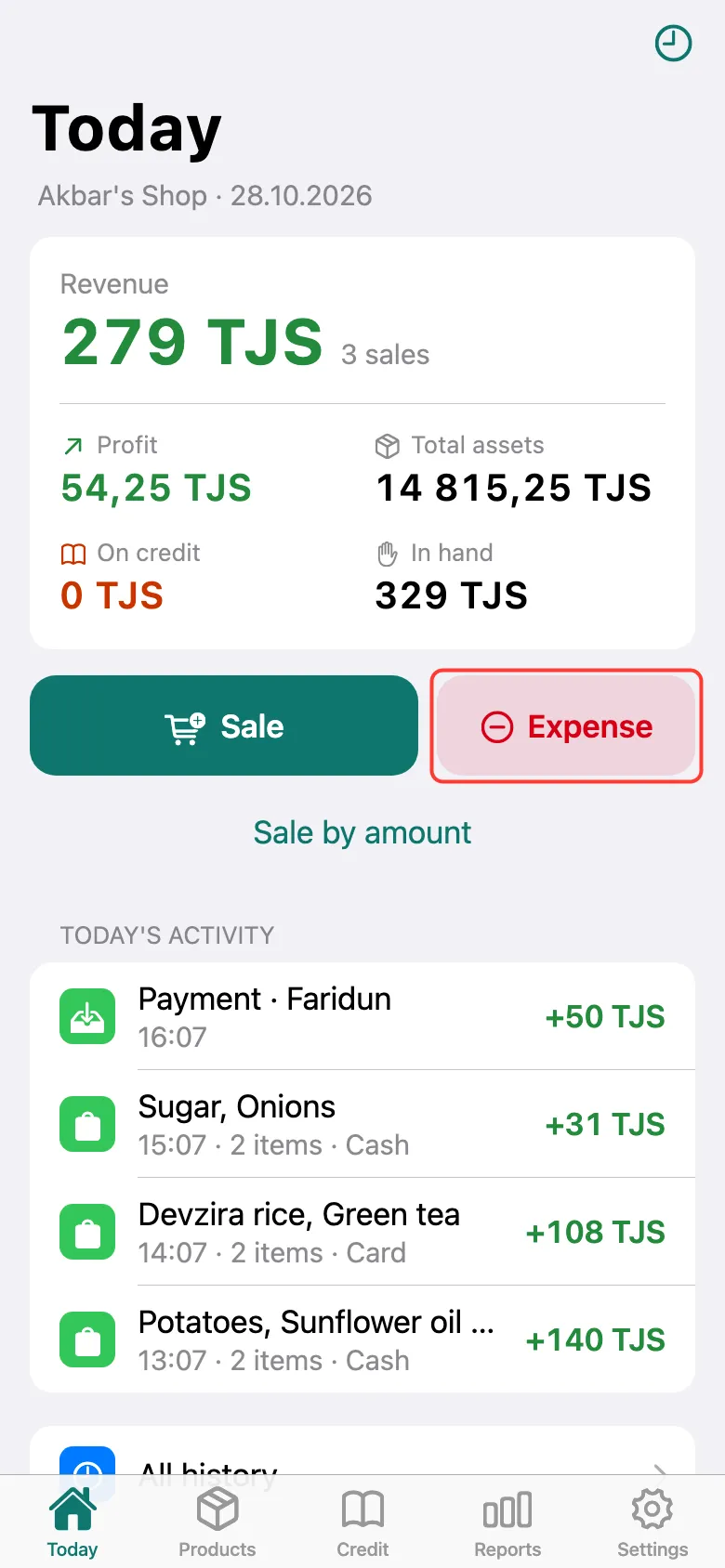
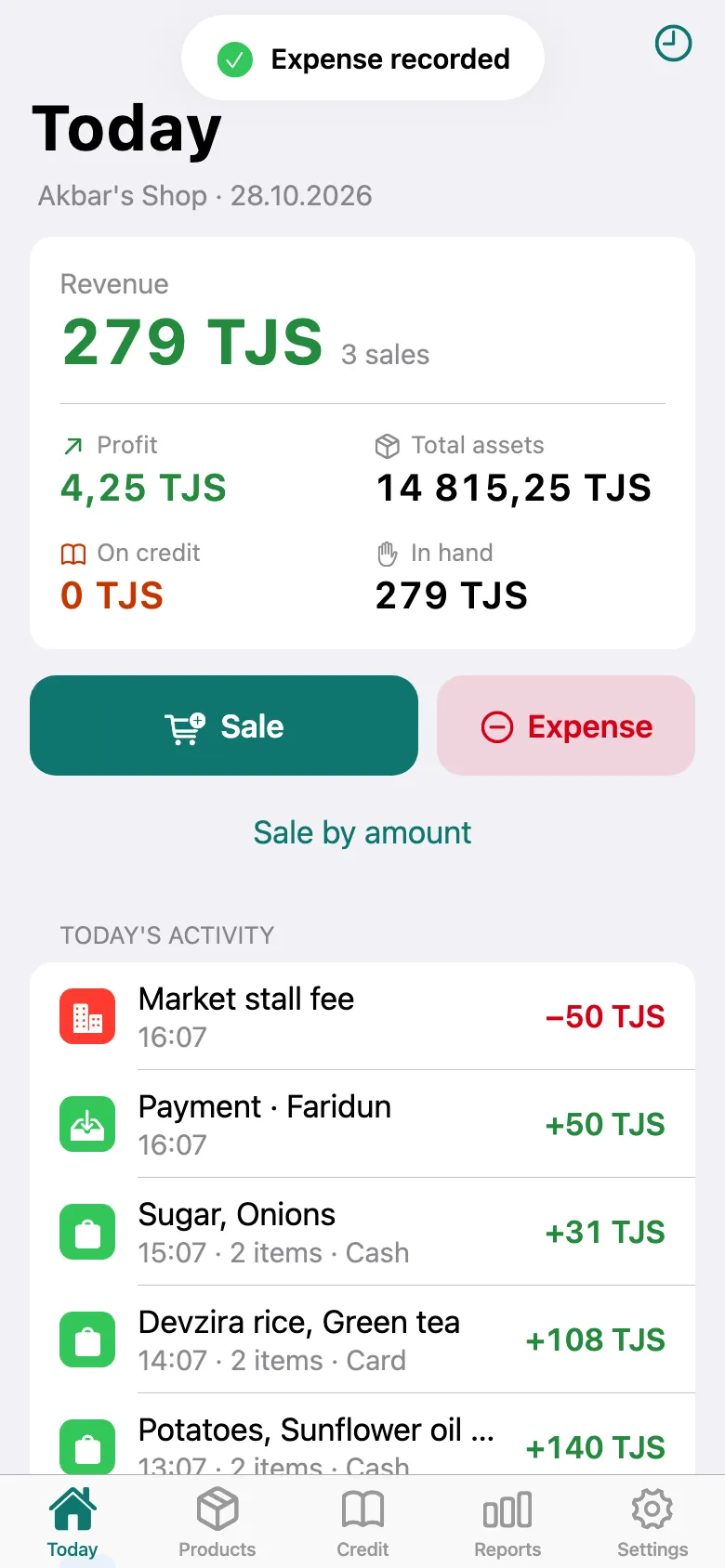
The spending goes into the day’s totals and reduces profit — you see what you really earned.
On the Today screen, tap Expense.
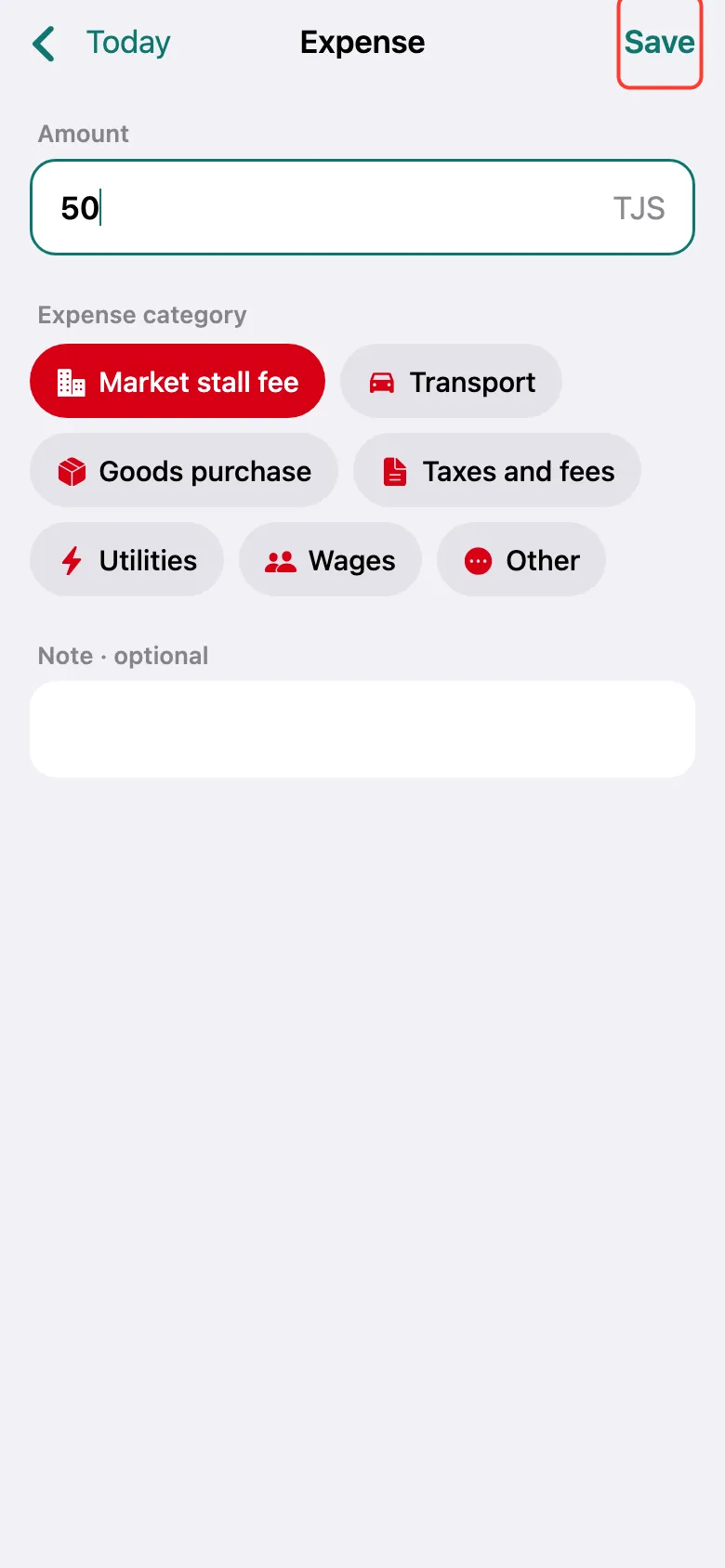
Enter the amount and choose the Expense category: rent, transport, taxes, wages and others. You can add a note. Tap Save.
“Expense recorded” appears, and the expense is in the day’s list. Goods purchase is special: it doesn’t reduce profit, because profit counts the cost of the goods sold.
What next
Didn’t work? Message us on Telegram