How to record stock in
Stock goes up, and the purchase can be recorded as an expense — so your profit stays honest.
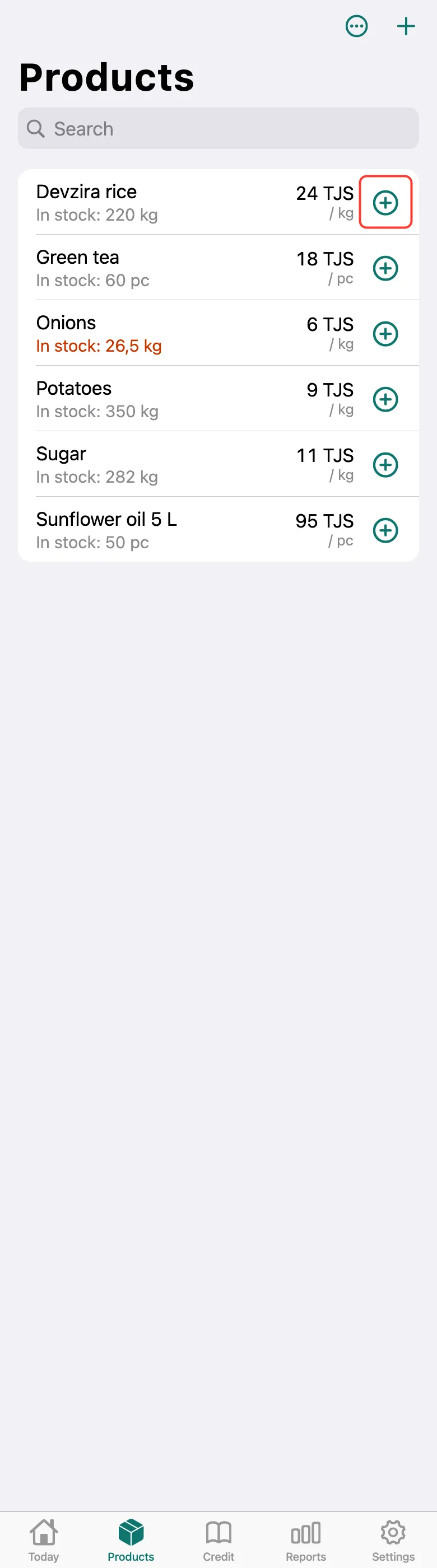
Quick way: on the Products tab, tap the circled plus to the right of the product.
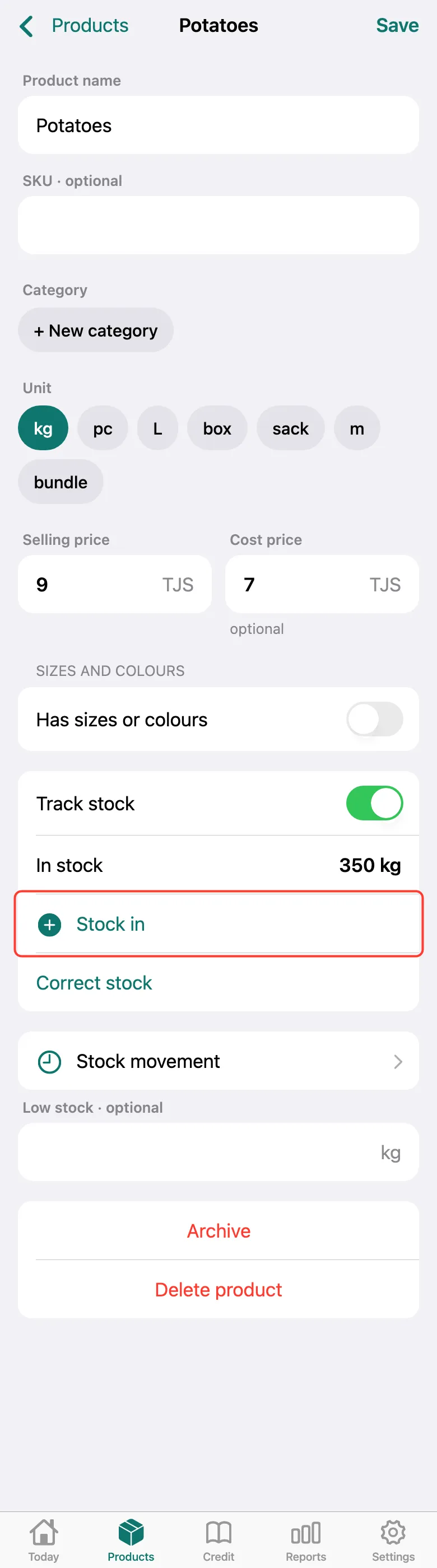
Or open the product and tap Stock in on its card.
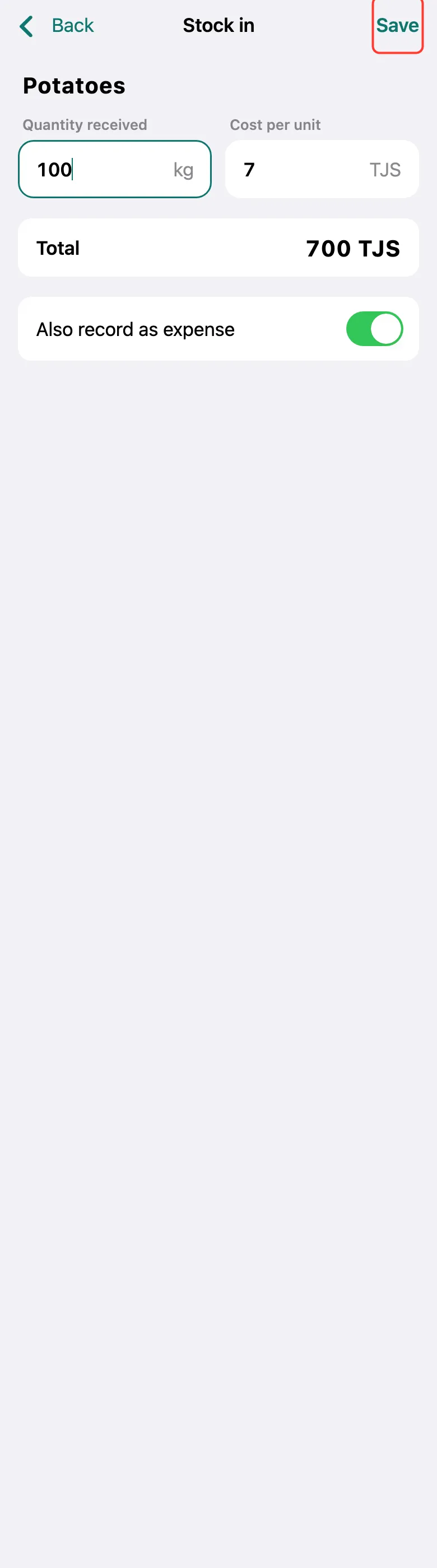
Enter the Quantity received and the Cost per unit — the Total shows below. Keep Also record as expense on if you paid for these goods now. Tap Save.
What next
Didn’t work? Message us on Telegram