How to change a price on the receipt
The sale is recorded at the price you agreed with the customer — and if you made a mistake, you can fix the price later.
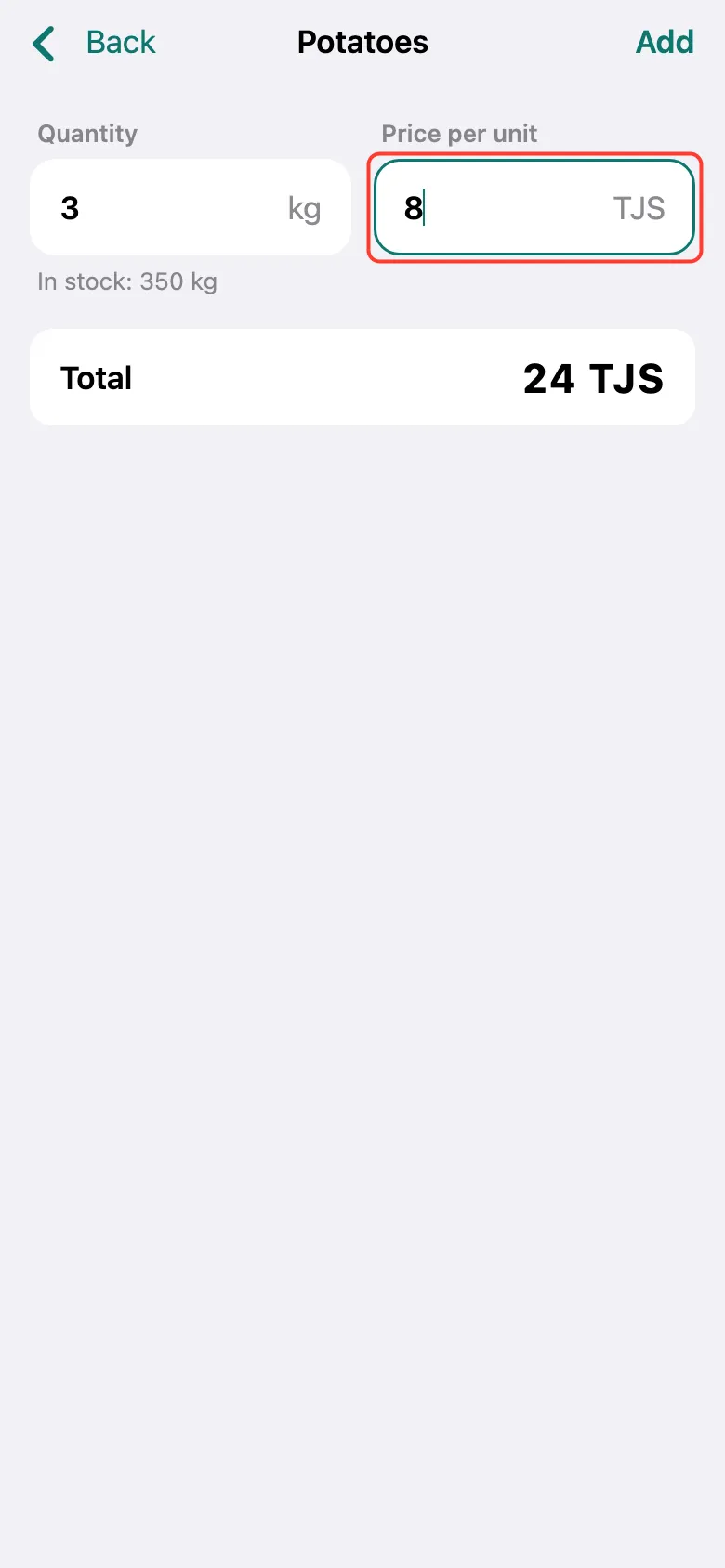
During the sale: after picking the product, type a different price in the second field, Price per unit. The Total updates. Tap Add — the price changes only on this receipt, not in your product list.
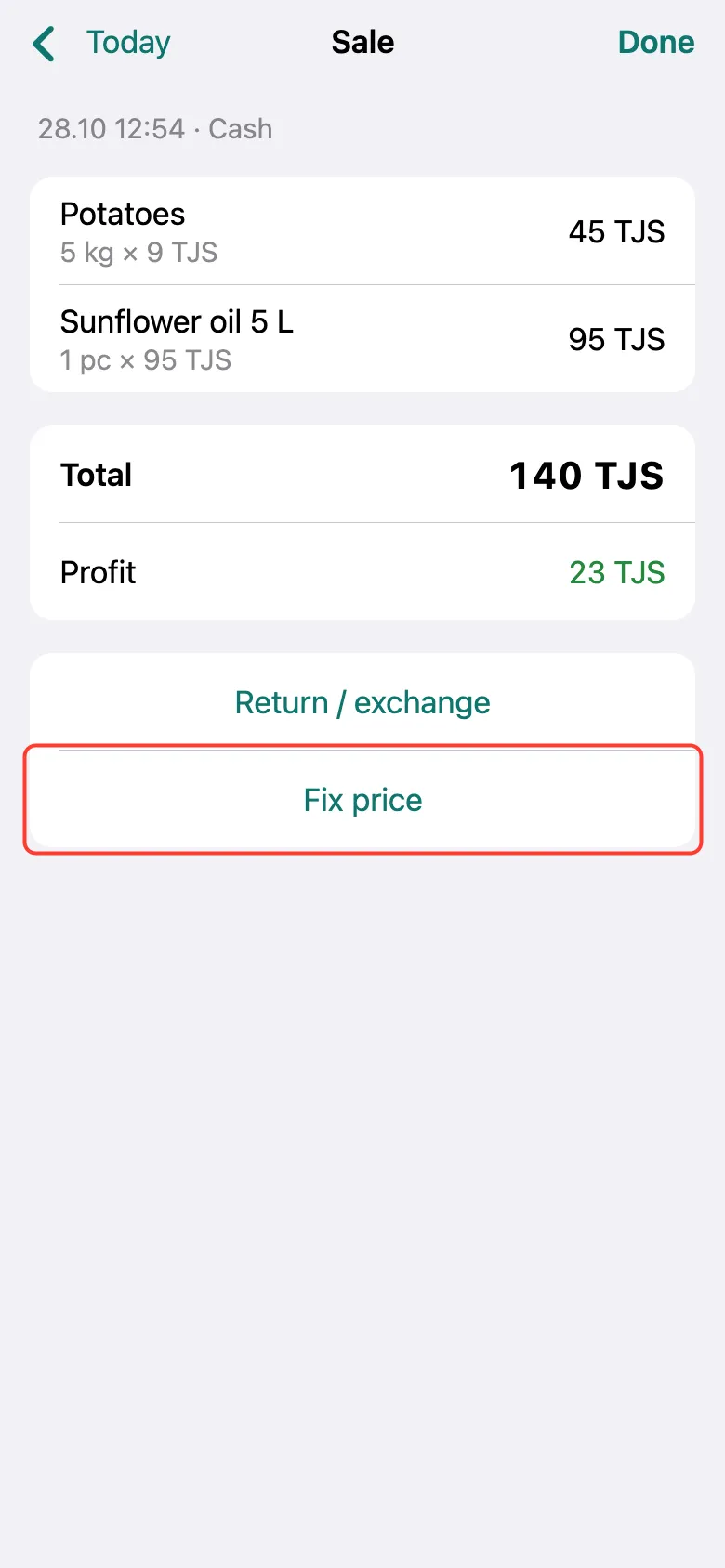
Already recorded a sale with a wrong price? Tap it in the day’s list and tap Fix price on the receipt.
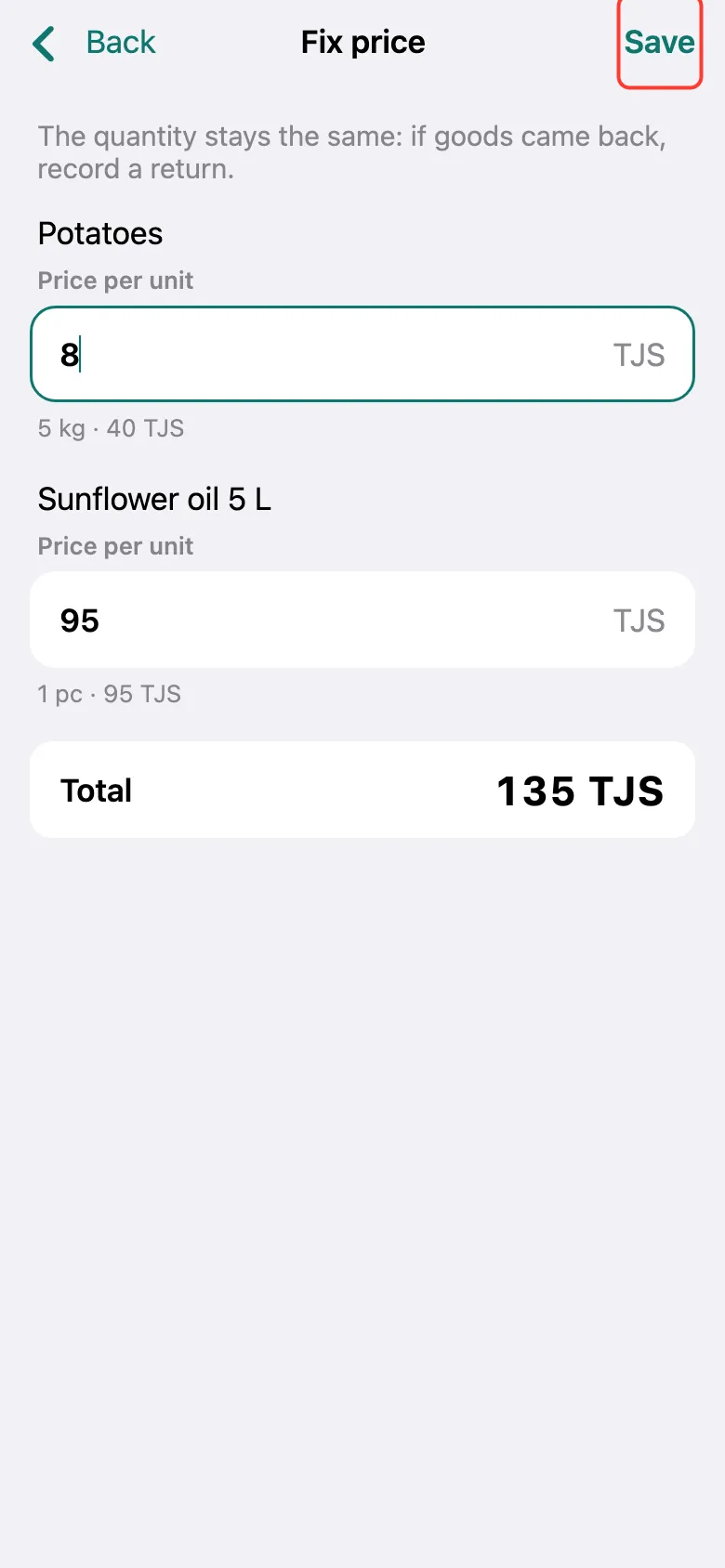
Enter the correct price per unit and tap Save. The quantity doesn’t change here: if goods came back, record a return.
What next
Didn’t work? Message us on Telegram