How to give a discount
The customer pays less, and the receipt shows the amount before the discount and the discount itself.
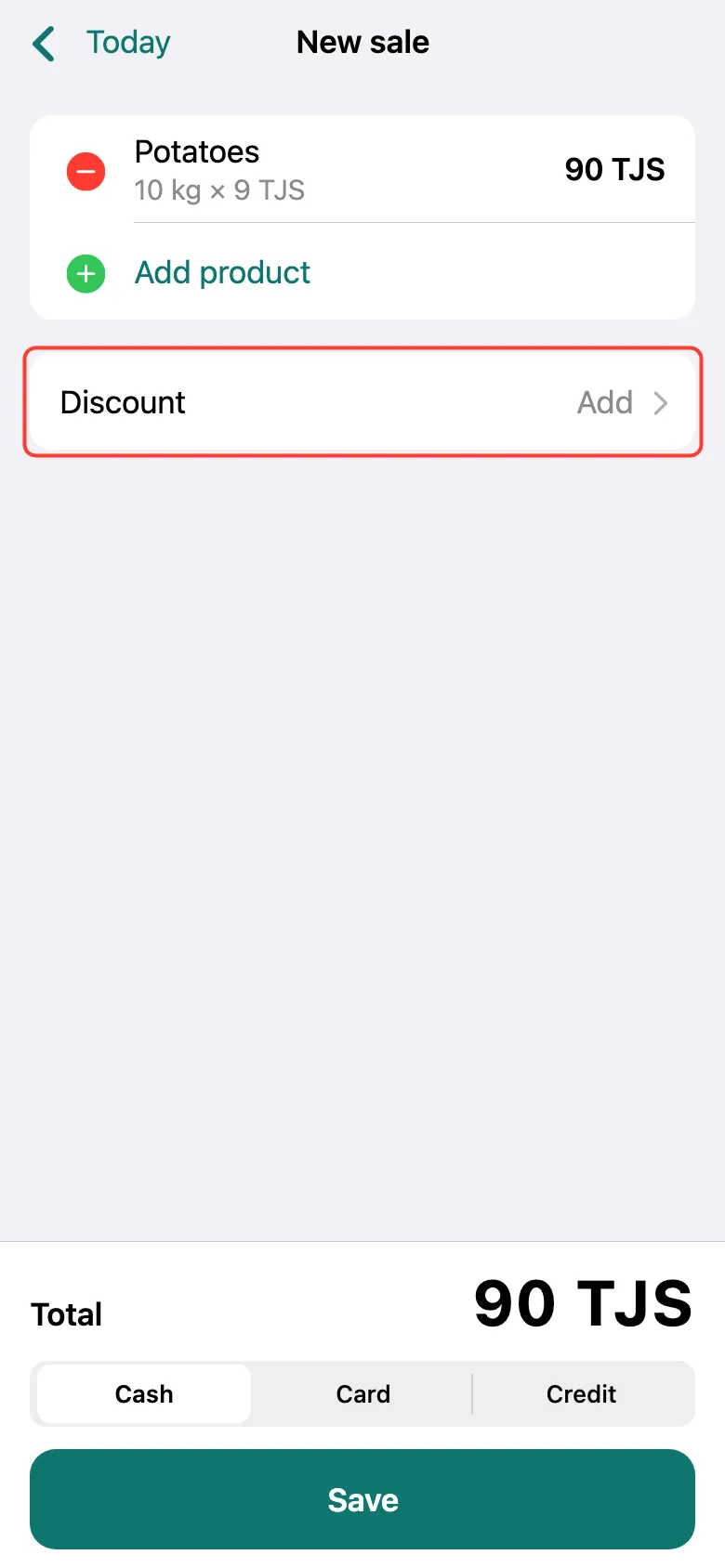
Add products to the receipt. Below them, tap the Discount row — it says Add on the right.
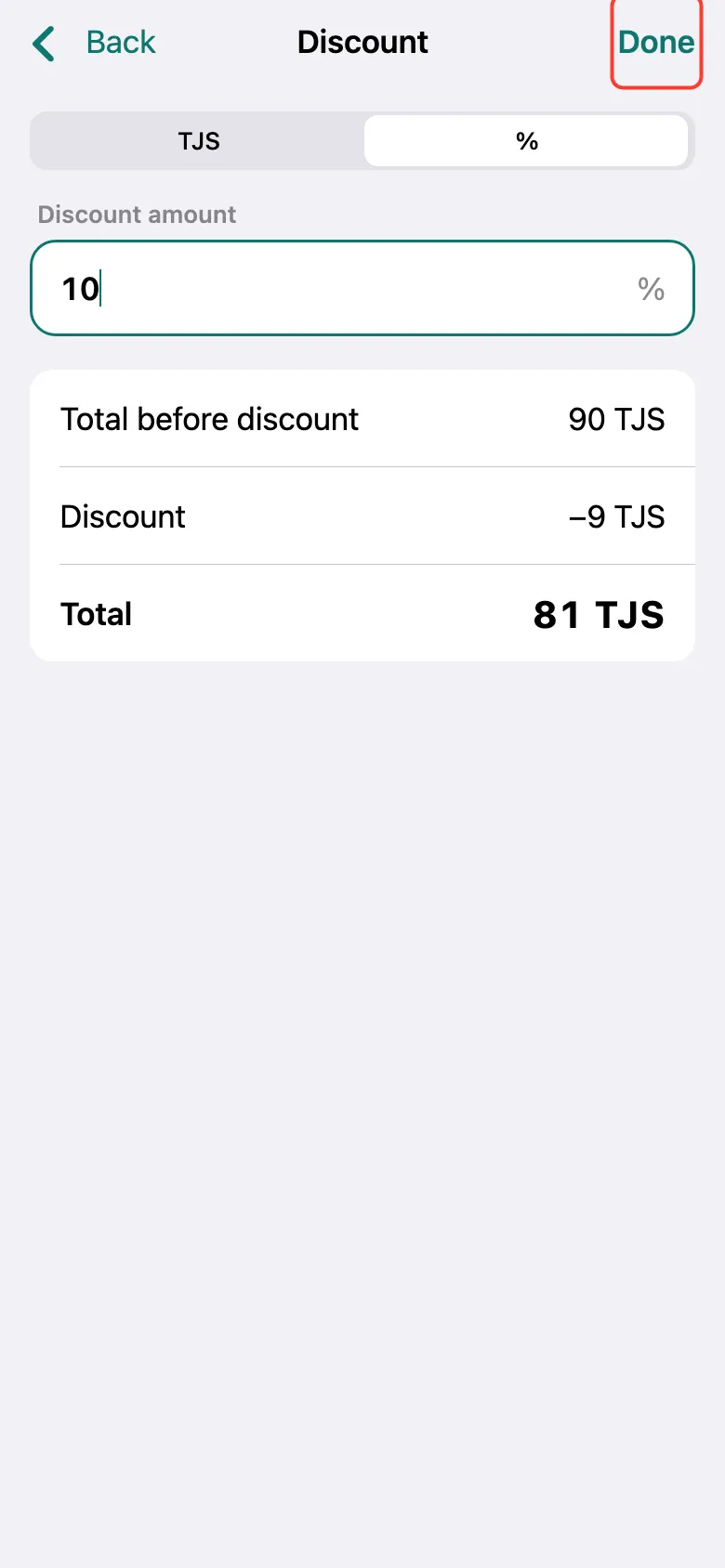
Choose how to count the discount: in somoni (TJS) or as a percentage (%). Enter the amount — the new Total shows right below. Tap Done.
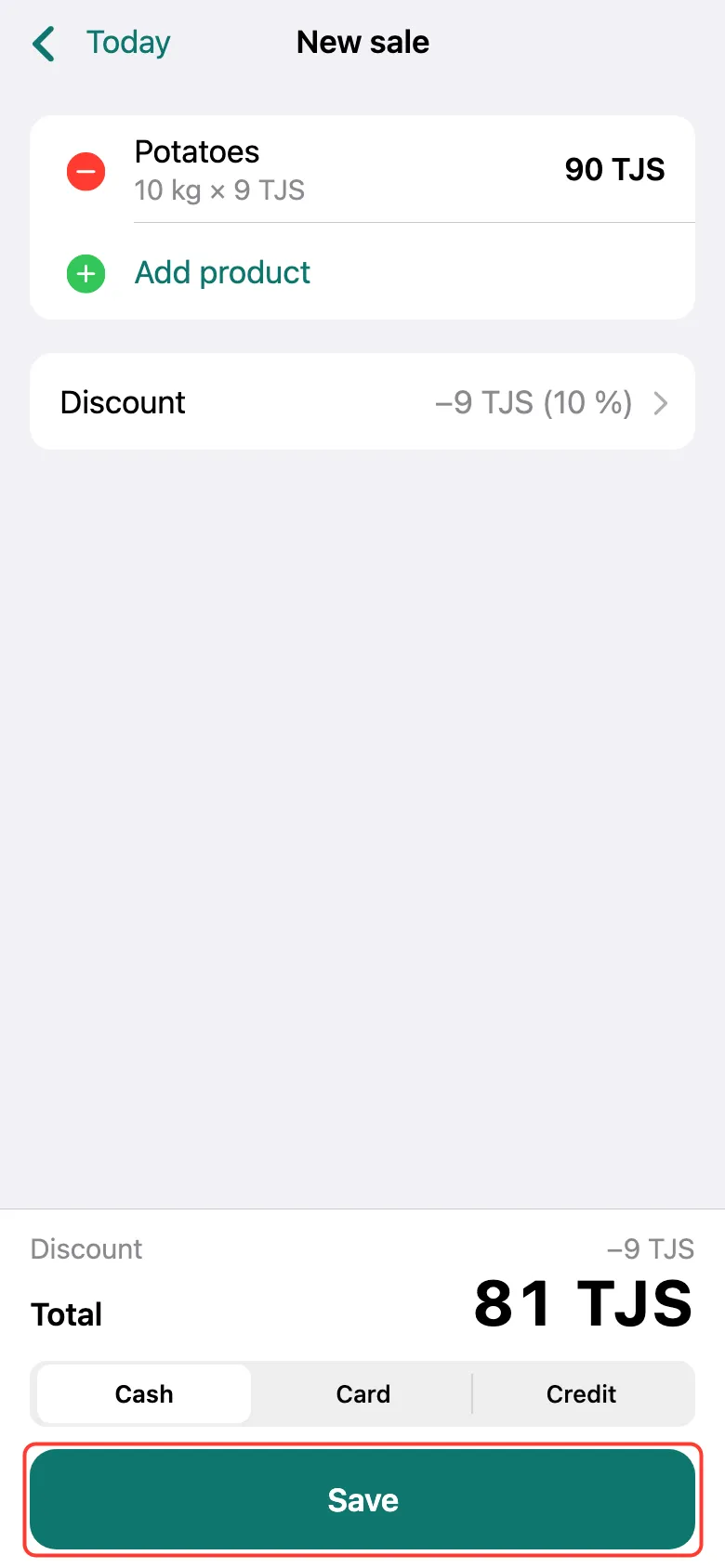
The discount is on the receipt and the total went down. Tap Save.
A staff member sees the Discount row only if the owner allowed them discounts.
What next
Didn’t work? Message us on Telegram