How to record a sale
The sale goes into the day’s totals, and the product’s stock goes down by itself.
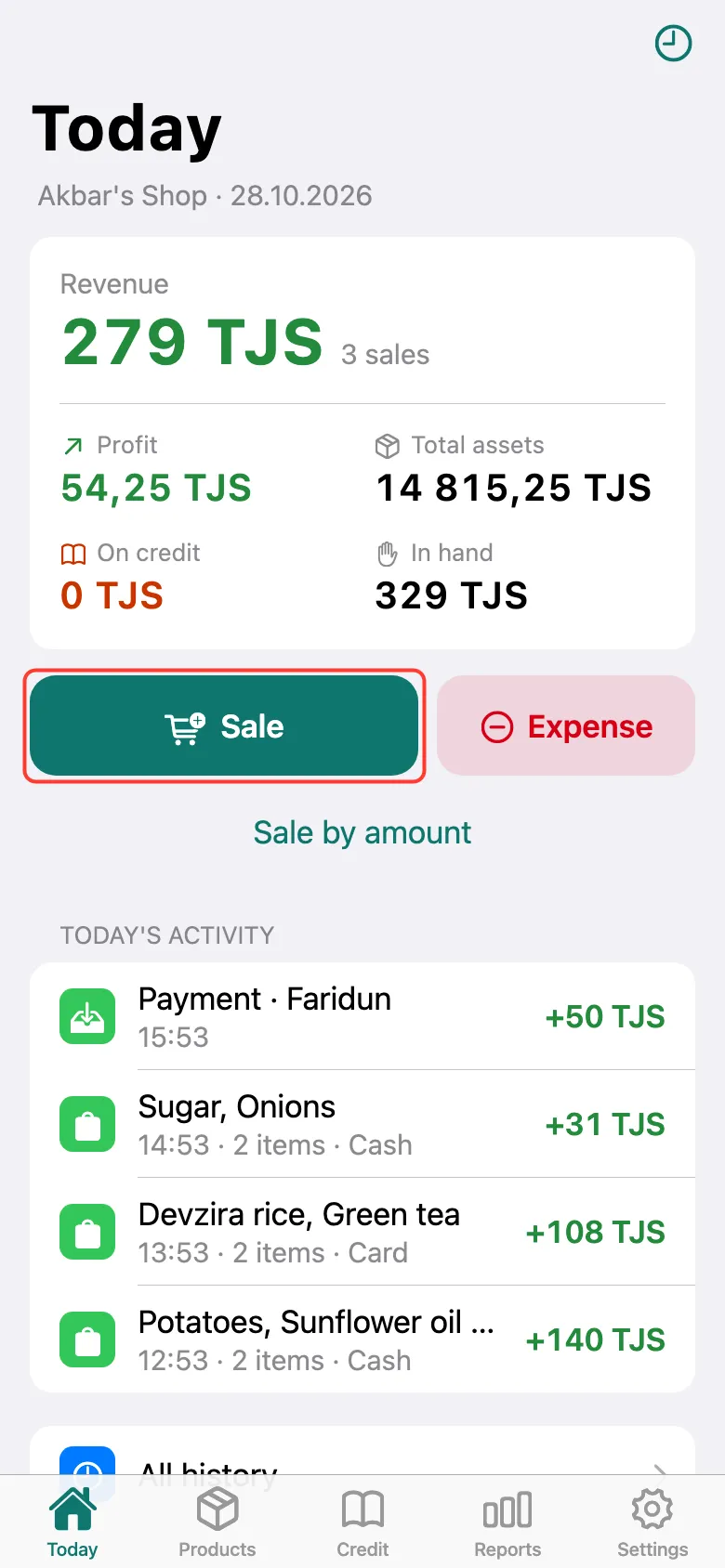
On the Today screen, tap Sale.
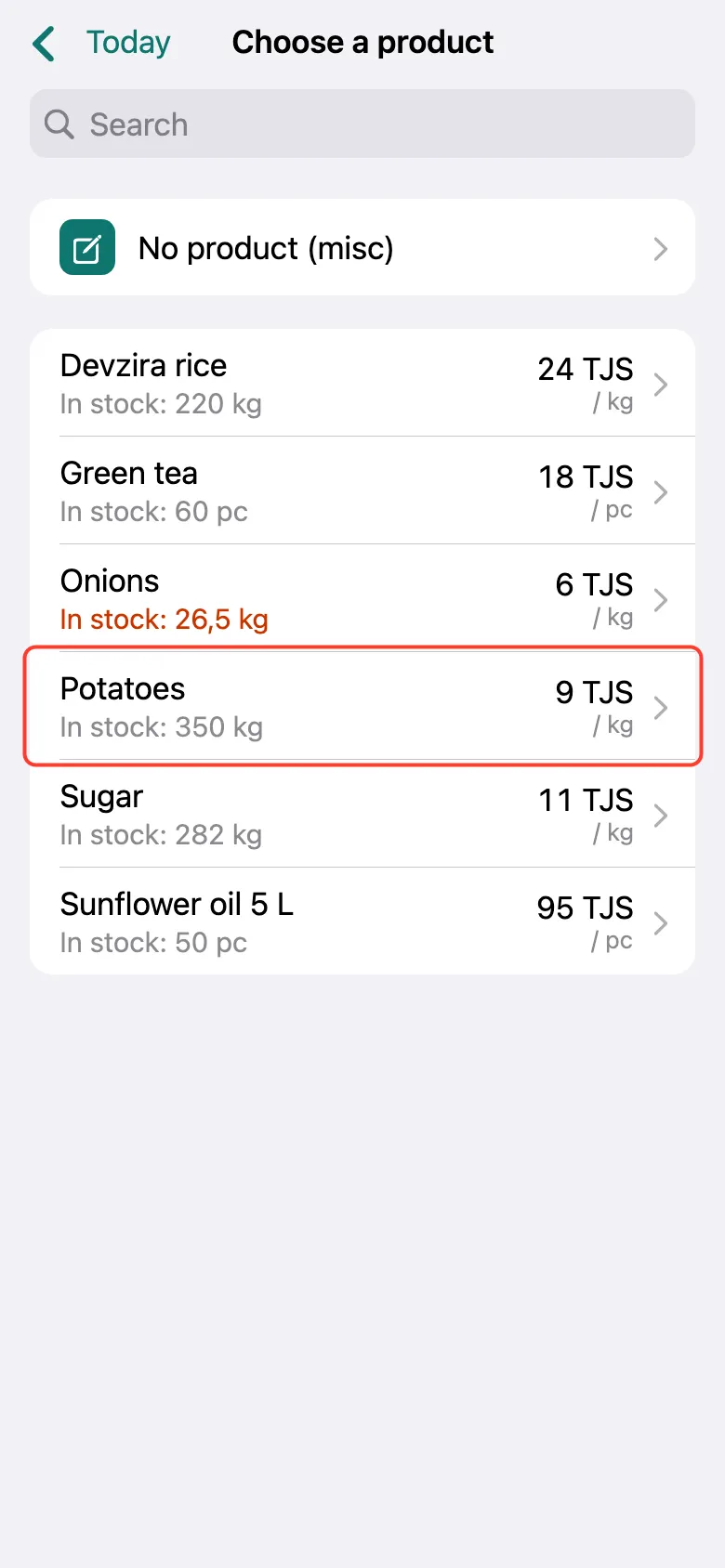
The product list opens. Tap the product you sold. Long list? Find the product with Search at the top.
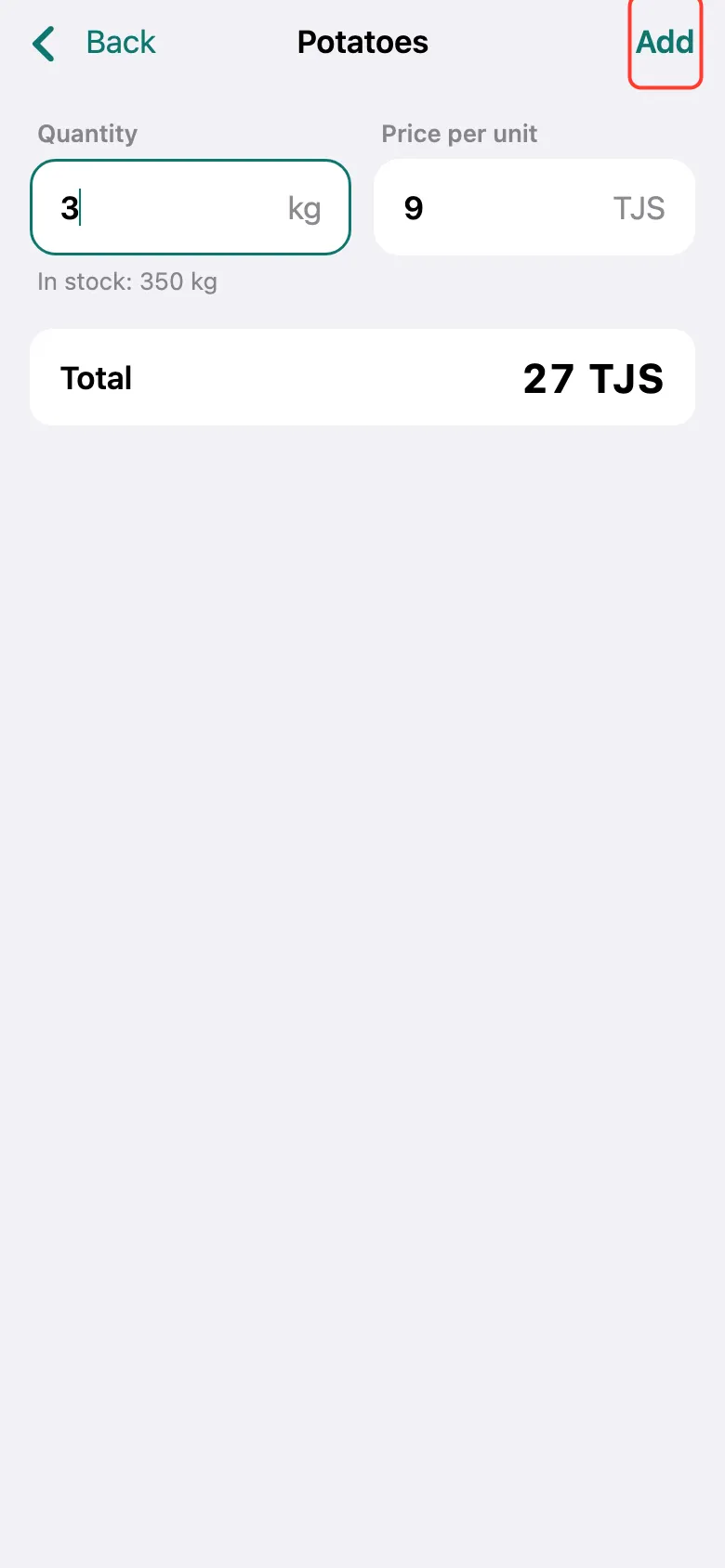
Enter how much you sold — for example, 3 kg. The price fills in by itself. Tap Add.
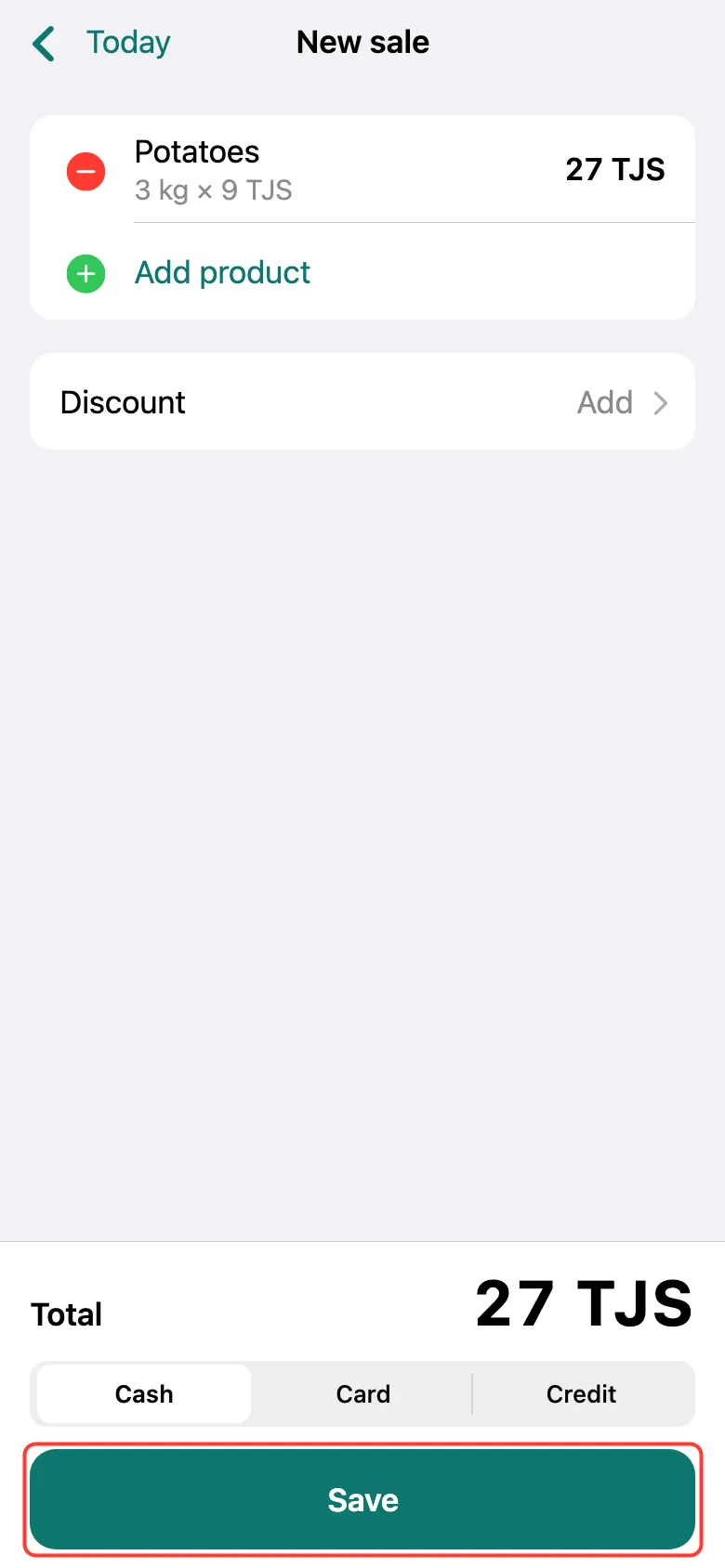
The product is on the receipt. If they bought something else, tap Add product and repeat. At the bottom, choose how they paid — Cash, Card or Credit — and tap Save.
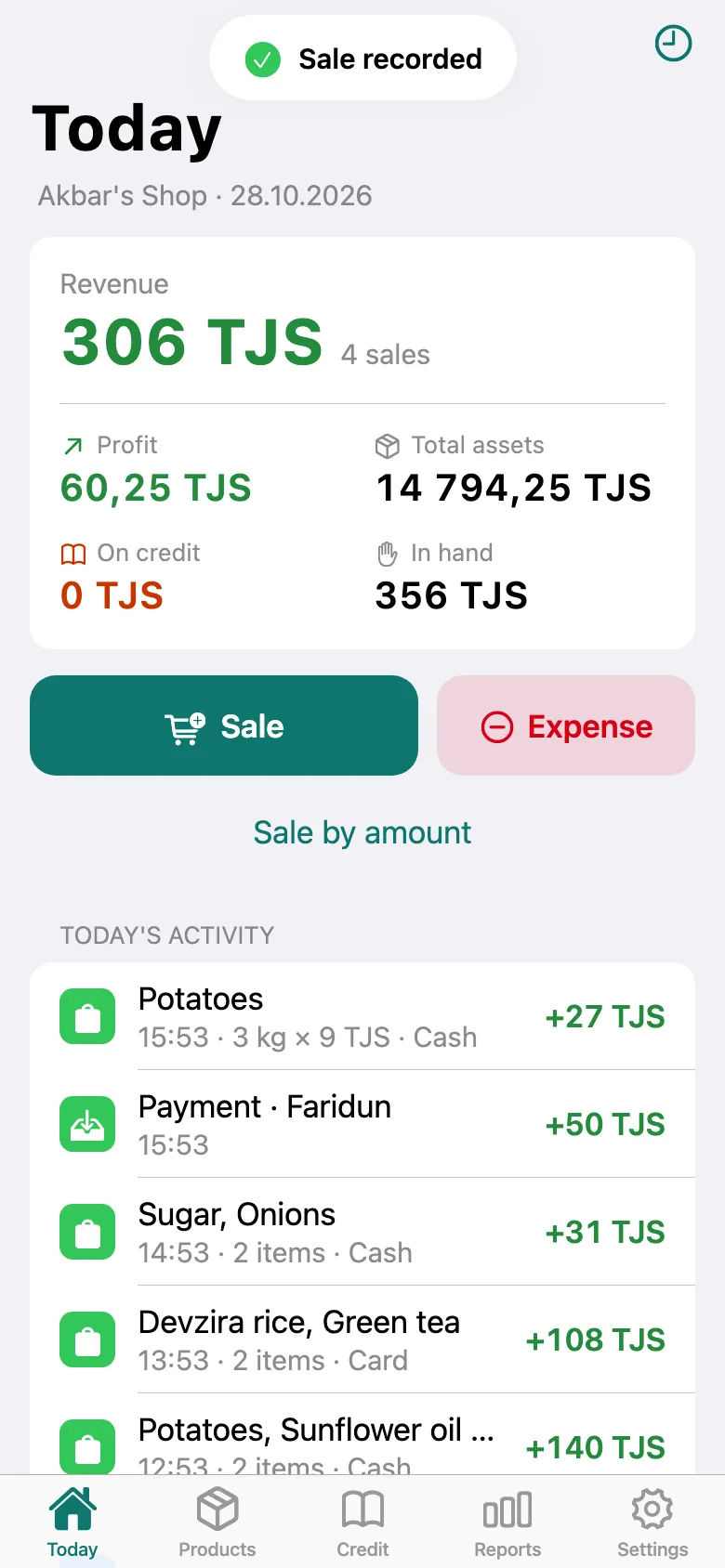
Done: “Sale recorded” appears at the top, and the sale is in the day’s list. Revenue and profit are recalculated by themselves.
What next
Didn’t work? Message us on Telegram