How to record an exchange
The returned goods go back into stock, the goods taken instead are written off, and the money difference is worked out for you.
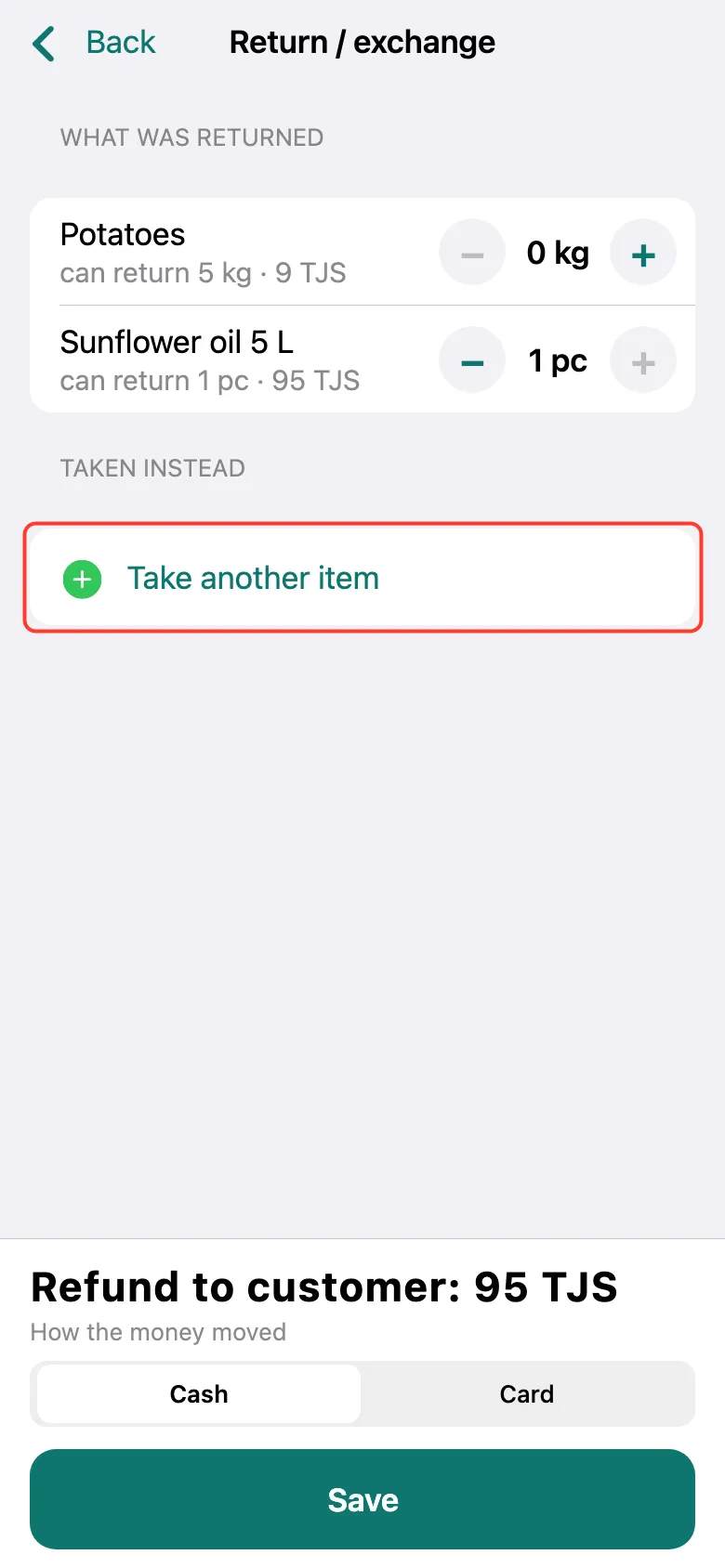
Open the sale and tap Return / exchange, as for a return. Tap + next to the product brought back. Then tap Take another item.
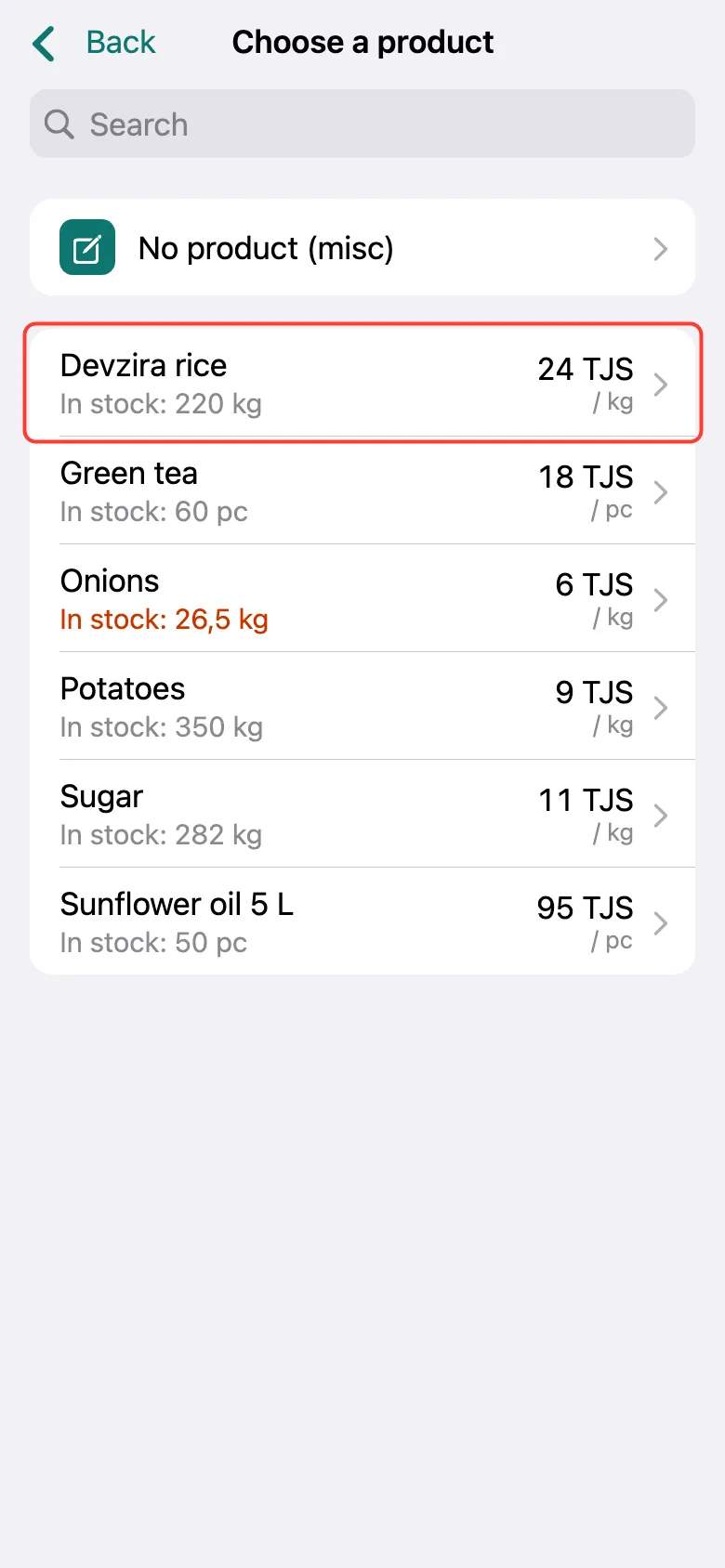
Pick the product the customer takes instead, enter the quantity and tap Add.
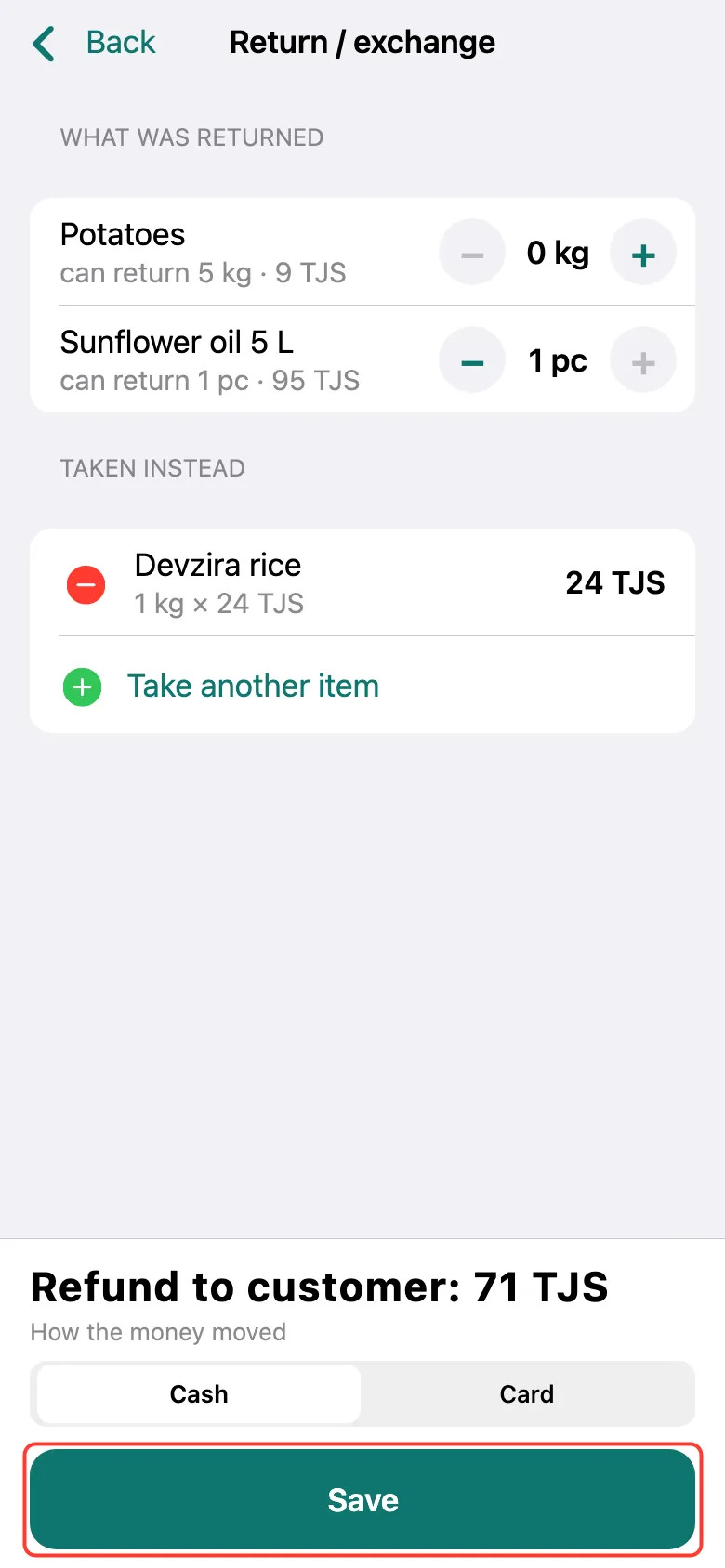
The bottom shows who pays whom: Customer pays extra, Refund to customer, or No extra payment when prices are equal. Choose how the money moved and tap Save.
What next
Didn’t work? Message us on Telegram