How to record a sale by amount
A sale for an amount is recorded even if the product isn’t in your list or there’s no time to pick it.
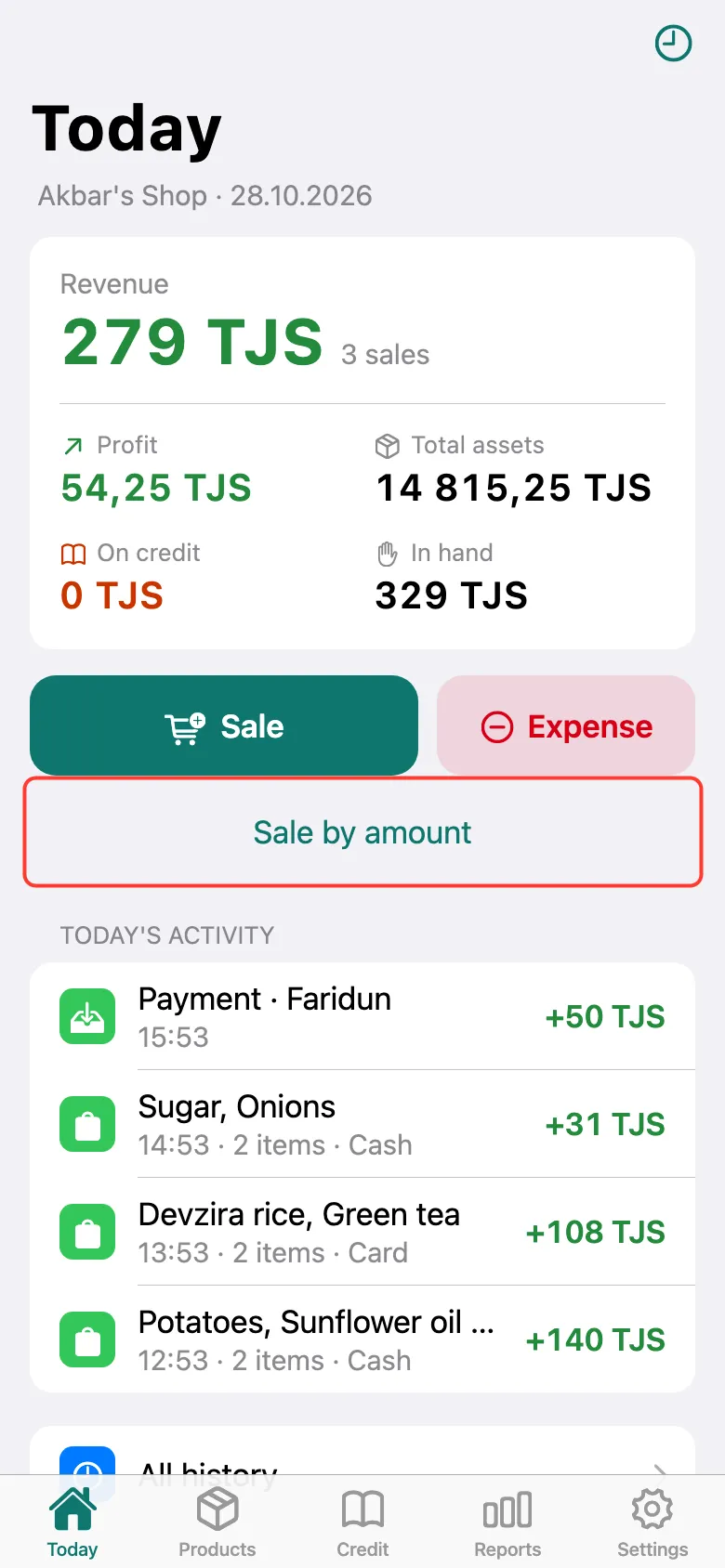
On the Today screen, tap Sale by amount — under the Sale button.
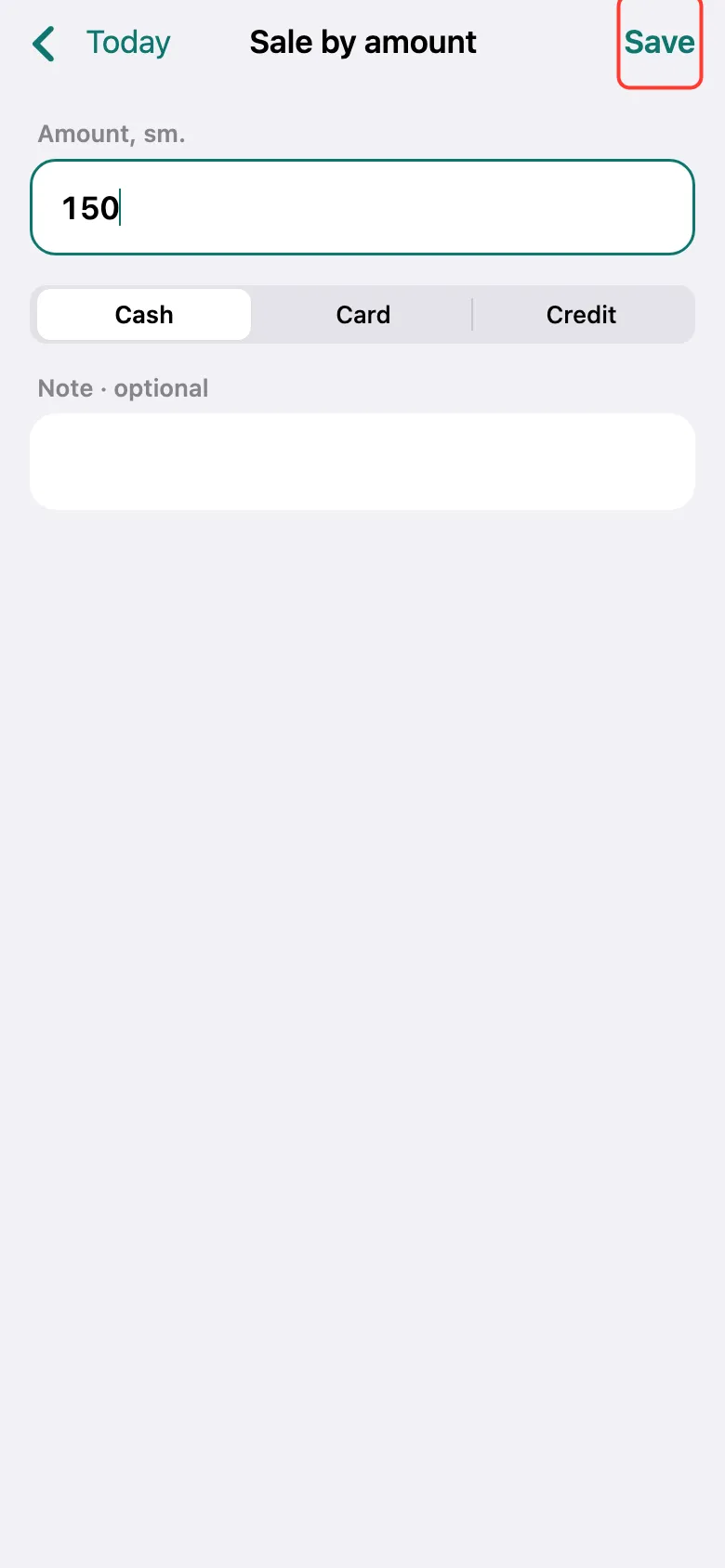
Enter the amount, choose Cash, Card or Credit and tap Save. Stock doesn’t change with such a sale; the sale shows a “No product (misc)” line.
Chose Credit? After Save, pick the customer and the due date (or No due date).
What next
Didn’t work? Message us on Telegram