How to accept or decline a staff request
Only people you let in can connect — and their outlet appears on your phone.
ProThis is a Pro feature.
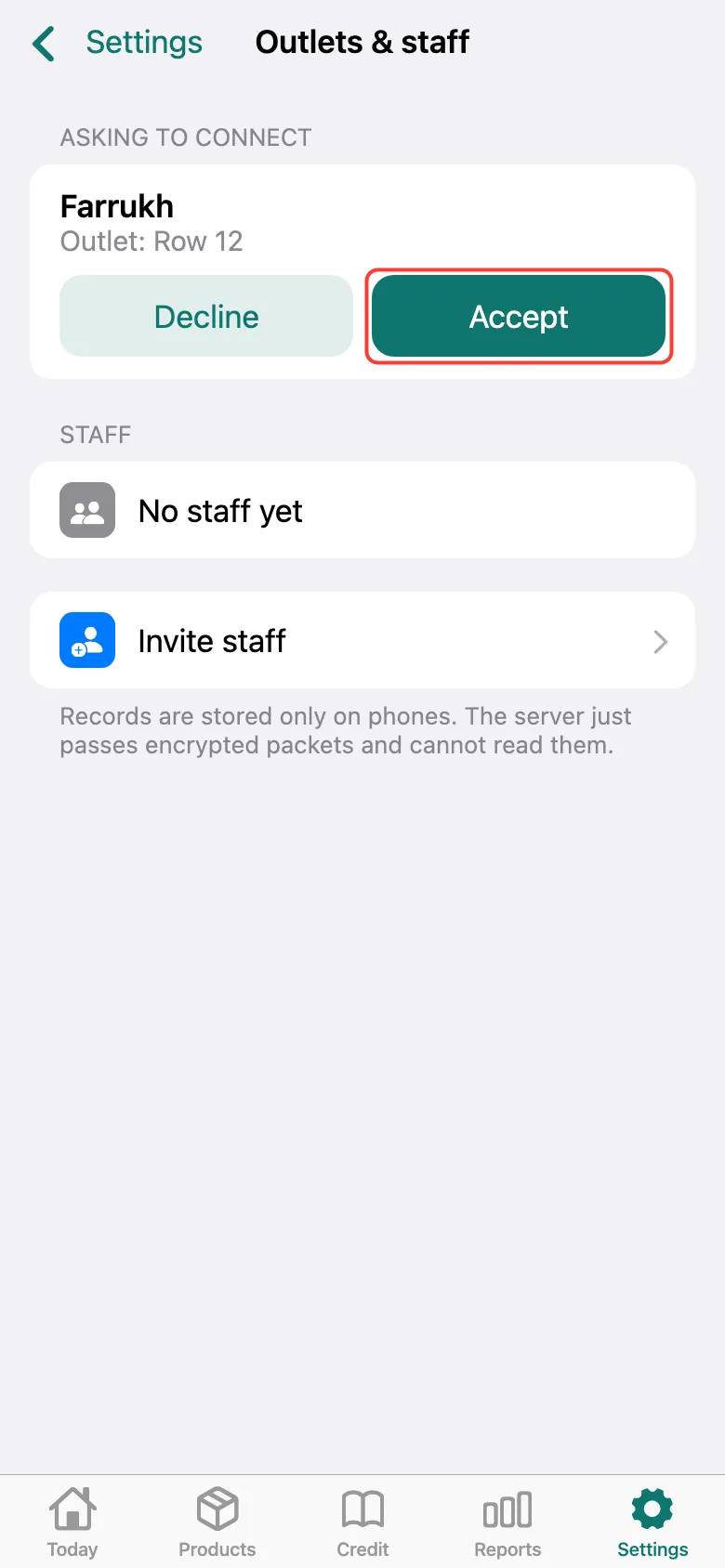
When a staff member sends a request, Settings → Outlets & staff shows Asking to connect: name and outlet. Your staff member — tap Accept. A stranger — Decline.
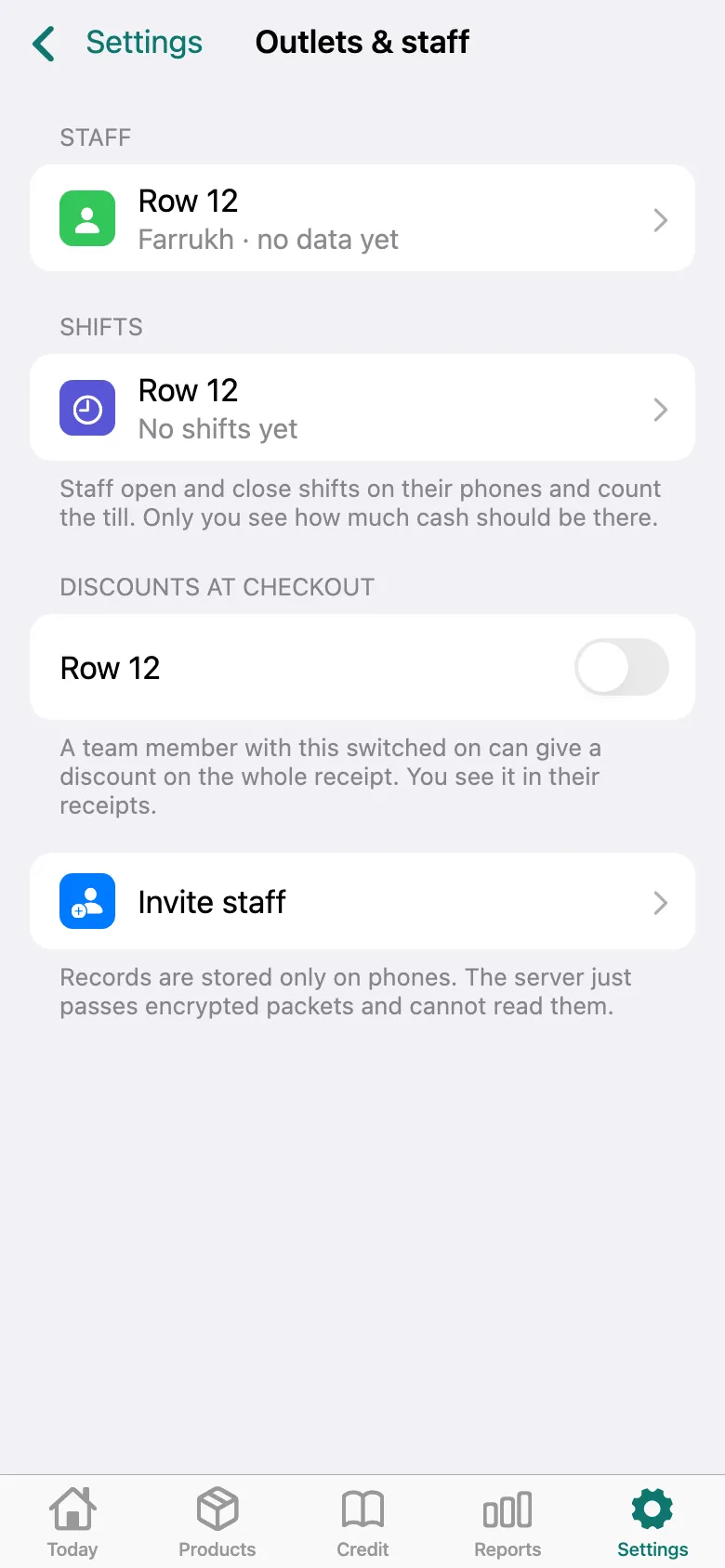
Done: the staff outlet is listed under staff, with their shifts and discount permission below. Their sales appear on your phone as soon as their phone goes online.
What next
Didn’t work? Message us on Telegram